HOME LEARNING PLATFORM
Below you will find a list of suggested websites that you can use with your child to support them whilst the school is closed for any government instructed period of time.
You will also be able to view suggested reading lists for specific year groups should you wish to obtain books to read with yor child at home.
Teachers will be available via their school e-mails - please allow time for them to reply.
cdrinnan@newbaldprimary.co.uk
ltaylor@newbaldprimary.co.uk
halcock@newbaldprimary.co.uk
jspencer@newbaldprimary.co.uk
cmorris@newbaldprimary.co.uk
cpowell@newbaldprimary.co.uk
READING
Go to the "3-11 Reading" Lists tabs you can choose the appropriate year group for your child.
Go to "Books & Reading" then "Our Recommendations", you can find lists of book by age. Also under the tab "Books & Reading", you can use the book finder tool to find the ideal book to suit the interests of your child. The website will also help you.
Suggested Daily Sites
A range of activities and games to practise a range of spelling rules and patterns. Every year group is covered with National Curriculum words. When you click on the appropiate year group you are sent to a page that allows you to choose which aspects of spelling you wish to focus on. Click on the "Curriculum Word List".
You will be able to:

ICT based education tools
This site contains maths and English games for children. It is probably more suitable for KS1 and early KS2 (Year 3 & 4), although Year 5 and 6 will find Spooky Spelling relevant to them. There are plenty of games to choose from and all will help your child's understanding.
This site contains lots of stimulating pictures. There are 5 tasks for each picture displayed. Each day the children could click on the picture of the day and choose a task to complete. For an example week:
- Monday - Sentence Challenge
- Tuesday - Sick Sentences
- Wednesday - Question Time
- Thursday - Perfect Picture
- Friday - Story Starter
All of these activities can be completed in the exercise book that school will provide. As long as the children write the date we would then be able to know which picture they had completed a task on.
Lexia (if applicable)
As parents you will be aware that your child can access Lexia at home. If you are having any issues please e-mail your child's class teacher (use the address above) for help. We would recommend that your child completes 20 - 30 minutes a day on Lexia.
All students use the same login details:
- Username – Student24326
- Password – school
They can then choose the subject and area that they wish to look at. There are explanation videos, games and activities that they can complete online. The site covers all subjects.
By clicking on the link below you will have access to animated videos, class clips and games that will help your child understand and practice their understanding of skills needed for either Key Stage 1 or 2. Each Key Stage is divided into all the core and foundation subjects covered in Primary School. The topic for all foundation subjects this term is Diverse Planet and so it would be helpful to focus on geography, videos, clips or games that link to this.
The site requires your child to register with their date of birth, which then has to be authorised by you as the adult. It’s a very useful site. It consists of videos on the various age appropriate topics in maths, followed by practice questions. It can track your child's progress and you know which parts they have completed.
This is a really great site for gathering information which could be used in relation to topic work.
Classroom Secret have also launched a ‘Kids’ site which is free to parents at the moment. You would need to set up an account. You would then have access to Year group appropriate games and challenges for your child, covering all aspects of the National Curriculum.
A really useful resource for reading, English and maths. The parent needs to register in order to access all the free at home section of the website. However, there are lots of games, resources, activities and worksheets for parents to look through, download or print off.
EYFS Great site for ideas suitlable to EYFS. By clicking on the age appropriate tab (3-5 year olds) you will find lots of information about various activities, apps or websites.
This site has separate pages of skills linked to individual Year groups. For each year group the page has links to practise both English and Maths skills. Each skill has its own tab which leads to questions. If answered incorrectly the correct answer and an explanation is given. You are limited daily, one skill for maths and one for English. However, parents can choose to sign up to the website, for which there is a cost.
Children can use this website daily to improve their time table knowledge. Each child needs a login and they have been given these in class. If you have any problems please contact your child's class teacher ( using the e-mail above).
EYFS - A useful site to practise phonic knowledge with your child. The site consists of a variety of games to aid in phonic learning.
A useful site for all ages. Consists of lots of different games and challenges for Maths.
Suggested Websites to use alongside school closure booklets
When clicking on the link, enter "Home Learning" in the search box and the packs for each year group will appear. These packs can be printed off and all advice for parents is there to read.
When accessing their homepage parents are able to click on "free home learning pack". This will take you to a page covering all years of primary school. Select the relevant year group for your child, click to download to access the four files. You will see a letter to parents, the learning pack, guidance and some practical ideas.
Book Review Templates

|
Book Review Sample 1 | [pdf 244KB] |

|
|
|
Book Review Sample 2 | [pdf 113KB] |
|
|
|
Book Review Sample 3 | [pdf 994KB] |
|
|
|
Book Review Sample 4 | [pdf 45KB] |
|
|
|
Book Review Sample 5 | [pdf 88KB] |
|
|
|
Non-Fiction Book Review Sample 1 | [pdf 251KB] |
|
Maths Guides
|
|
Maths Parent Guide Year 1 | [pdf 552KB] |
|
|
|
Maths Parent Guide Year 2 | [pdf 622KB] |
|
|
|
Maths Parent Guide Year 3 | [pdf 370KB] |
|
|
|
Maths Parent Guide Year 4 | [pdf 400KB] |
|
|
|
Maths Parent Guide Year 5 | [pdf 318KB] |
|
|
|
Maths Parent Guide Year 6 | [pdf 329KB] |
|
Reading Guides - Keystage 2
|
|
Reading Parent Guide Year 3 | [pdf 2MB] |
|
|
|
Reading Parent Guide Year 4 | [pdf 532KB] |
|
|
|
Reading Parent Guide Year 5 | [pdf 1MB] |
|
|
|
Reading Parent Guide Year 6 | [pdf 1MB] |
|
Suggested Apps with an additional cost
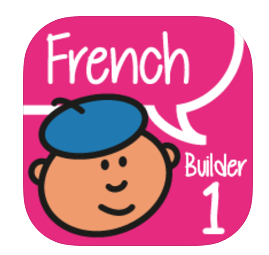
Primary French Builder
This is an App for French, children can download the App by Firekite at a cost of £1.99. This is the logo you should see for the app, please be aware there are similar apps to check the name carefully before you download it. The app covers all aspects of the curriculum.

Please note that we find ourselves in unchartered waters at the moment as we have not had chance to check and test all websites/apps completely. Neither is it imperative that you make any purchases - we are just offering alternatives.
We would ask for your understanding in these matters.
Mrs Powell reads the next exciting chapters of Floodland

|
Floodland Chapter 7 | [mp3 5MB] |
|
|
|
Floodland Chapter 8 | [mp3 5MB] |
|
|
|
Floodland Chapter 9 | [mp3 4MB] |
|
|
|
Floodlands Chapter 10 | [mp3 2MB] |
|
|
|
Floodland Chapter 11 | [mp3 2MB] |
|
|
|
Floodland Chapter 12 | [mp3 2MB] |
|
|
|
Floodland Chapter 13 | [mp3 4MB] |
|
|
|
Floodland Part 3 Chapter 1 | [mp3 3MB] |
|
|
|
Floodland Part 3 Chapter 2 A | [mp3 4MB] |
|
|
|
Floodland Part 3 Chapter 2 B | [mp3 4MB] |
|